

Linking your Etsy store to Transglobal Express - v2
To link your Etsy store to your Transglobal Express account, please complete the following steps.
Step 1 – Shop imports
Go to our Shop Import page and select the Etsy link. You’ll need to be logged in to your Transglobal Express account.
Step 2 – Getting Etsy ready
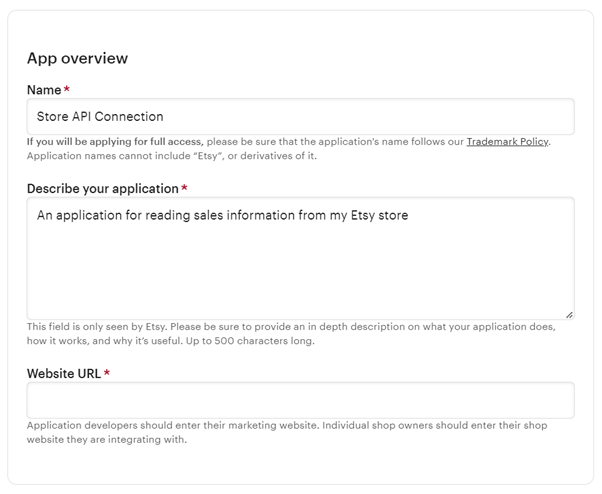
Now switch over to your Etsy account. You’ll first need to register a new app – see Etsy’s guidance: Create a New App - Etsy Developers.
Give your app a name that you’ll remember and a simple description such as “An application to read my sales information”.
If you don't have a website other than your Etsy store, just enter the URL of your store in the field. Otherwise, enter your marketing website URL.
For the app details, the following settings are recommended:
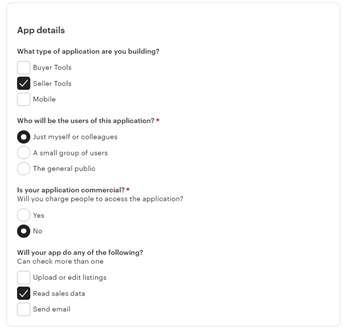
- Application type: Seller Tools
- Users: Just myself or colleagues
- Commercial? No
- App activity: Read sales data
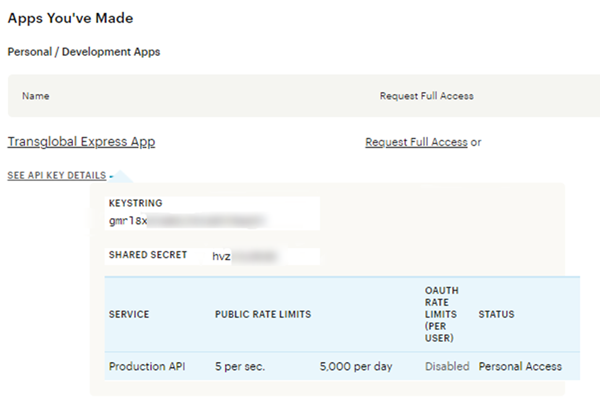
Once you submit your app settings, you’ll be shown your API key details. You’ll need these for Step 3. If you’re not taken to your new app details or need them at a later date, you can find them here.
Step 3 – Connecting to your app
Now back to the Transglobal Express website, to the Etsy Shop Import link from Step 1.
First enter the app details created in Step 2 and click Generate Link. Sometimes it can take a few attempts to successfully generate a link - if you are unable to generate a link after multiple attempts, please check that the information you have entered is correct.
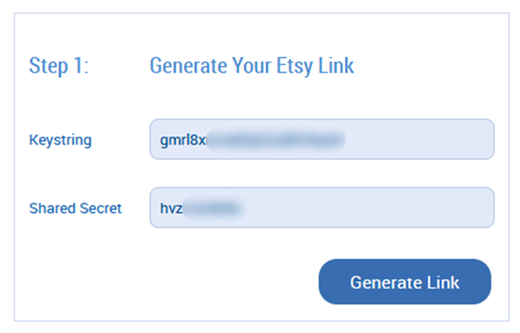
If you have entered your app details correctly, a link will be generated.
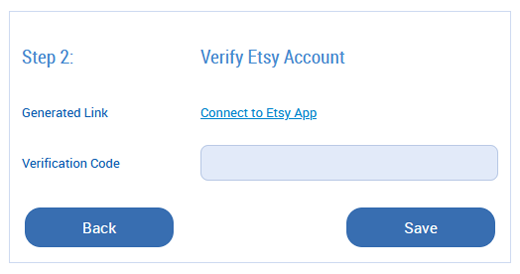
Click Connect to Etsy App to take you back to the Etsy website, where you’ll need to allow access to the app.
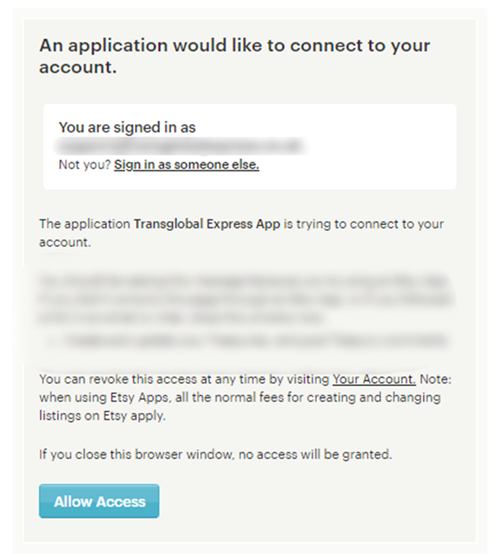
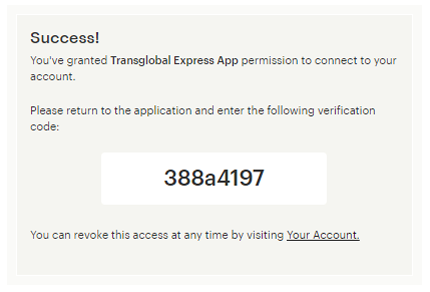
Click Allow Access to generate a verification code. Enter this code on the Transglobal Express page.
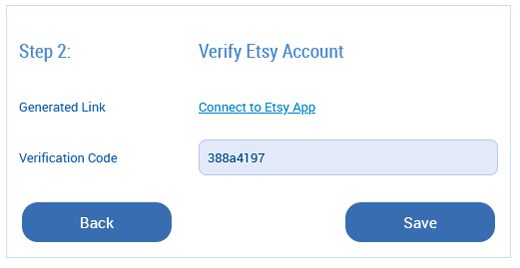
After entering the generated verification code, click Save to complete your Etsy integration. Again, it may take a few attempts to successfully authorise – please double-check your information.
Step 4 – Importing your orders
Once authenticated, you’ll be taken back to the Shop Import menu where you’ll need to click on the Etsy link again. You will then be taken to your authenticated Etsy page. There you can import your Etsy orders by clicking Import shop orders under the My Orders tab.
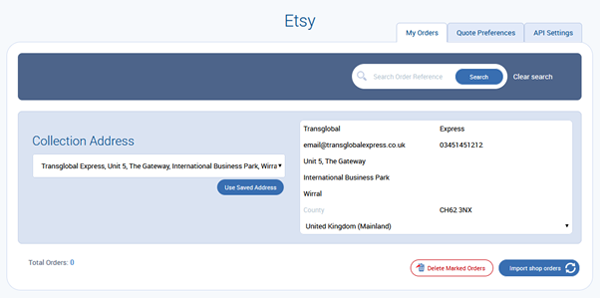
For more information on using our importer tool to book shipping, see How to use shop order importers.




Be the first to know about the latest services